

Contour

Results you can trustResults you can trust
Confident blood glucose monitoring right at your fingertips.Shop nowFeatured Products
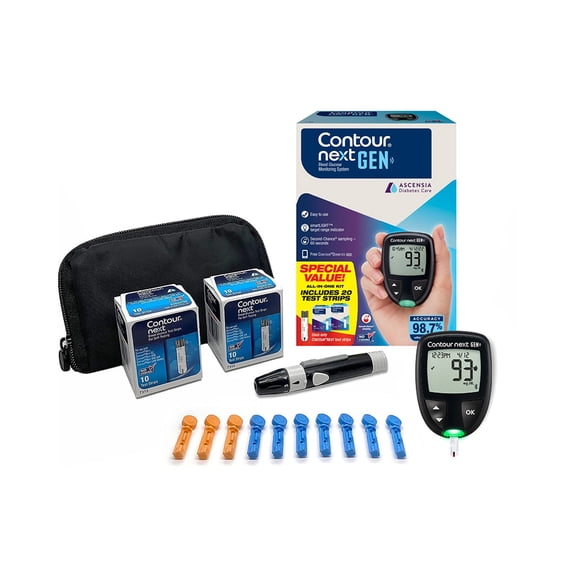
CONTOUR®NEXT GEN Blood Glucose Monitoring System Value Pack $19.97
 $1997current price $19.97
CONTOUR®NEXT GEN Blood Glucose Monitoring System Value Pack
Save with
 Delivery as soon as 27 minsShipping, arrives tomorrowPickup as soon as tomorrow
Best seller CONTOUR®NEXT ONE Blood Glucose Meter Value Pack Options from $19.97 – $39.94
Best seller 2 optionsAvailable in additional 2 optionsOptions from$1997– $3994
CONTOUR®NEXT ONE Blood Glucose Meter Value Pack
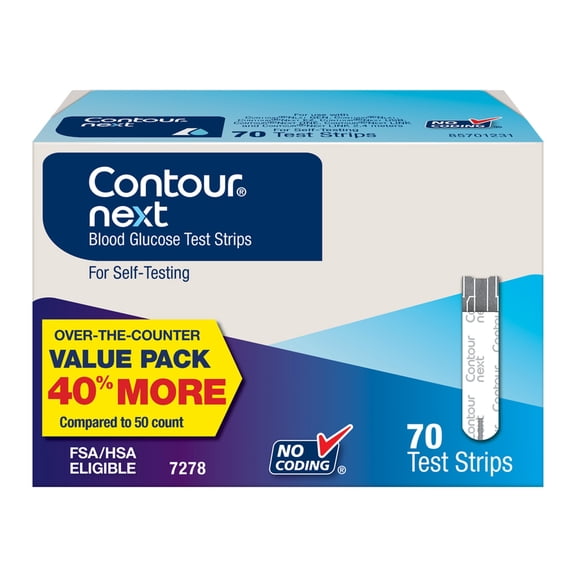
Save withDelivery as soon as 27 minsShipping, arrives tomorrowPickup as soon as tomorrowCONTOUR®NEXT Blood Glucose Test Strips, 70 Count Options from $26.58 – $79.74
 2 optionsAvailable in additional 2 optionsOptions from$2658– $7974
CONTOUR®NEXT Blood Glucose Test Strips, 70 Count
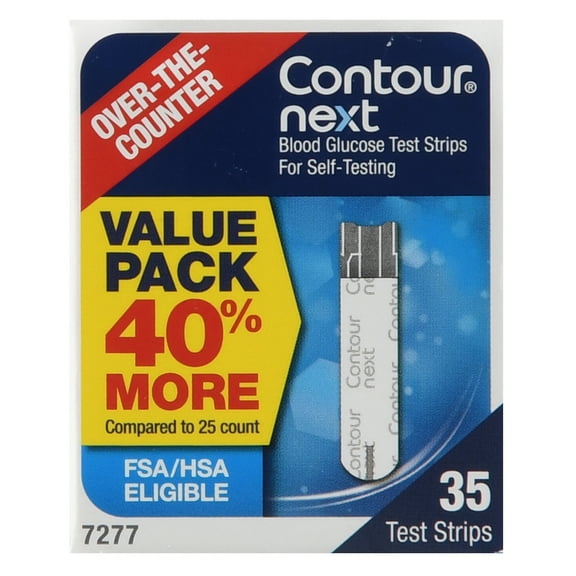
Save withDelivery as soon as 27 minsShipping, arrives tomorrowPickup as soon as tomorrowCONTOUR®NEXT Blood Glucose Test Strips, 35 Count Options from $14.88 – $44.64
 2 optionsAvailable in additional 2 optionsOptions from$1488– $4464
CONTOUR®NEXT Blood Glucose Test Strips, 35 Count
Save withShipping, arrives tomorrow


CONTOUR®NEXT Meters
How do I set up my CONTOUR®NEXT meter?
There are two ways you can set up your CONTOUR®NEXT meter: 1) On the meter itself, or 2) By using the CONTOUR®DIABETES app. For instructions on initial setup from the meter itself, please refer to the User Guide that you received with your meter. To set up your meter from the app, please download the CONTOUR®DIABETES app. Once downloaded, open the app, and tap ‘Get Started’ to follow the instructions. This will set up the meter and app at the same time.
Does my CONTOUR®NEXT meter have Bluetooth® connectivity?
Yes, every CONTOUR®NEXT GEN and CONTOUR®NEXT ONE meter comes with Bluetooth® connectivity. When you start using your CONTOUR®NEXT meter with the CONTOUR®DIABETES app, you will need to pair the two devices. The app and meter will then seamlessly connect and sync using Bluetooth® technology. The Bluetooth® setting on your mobile device and meter will need to be switched on for the pairing, and each time you test your blood glucose levels, so that the app can synchronize the reading. For more details on setting up Bluetooth®, please refer to the CONTOUR®NEXT GEN or CONTOUR®NEXT ONE User Guide.
What test strips are compatible with my CONTOUR®NEXT meter?
Your CONTOUR®NEXT meter is specifically designed to work with CONTOUR®NEXT Test Strips. Our blood glucose test strips are designed with advanced technology to provide highly accurate results in seconds when used with a CONTOUR®NEXT meter.1,2 For best results, always use CONTOUR®NEXT Test Strips with any of our CONTOUR®NEXT meters to get optimal performance and accurate readings. 1. CONTOUR®NEXT GEN BGMS User Guide, Rev 07/22. 2. CONTOUR®NEXT ONE BGMS User Guide, Rev. 10/23.
What is the SmartLIGHT™ feature and what do the colors mean?
The SmartLIGHT™ feature on the CONTOUR®NEXT ONE meter gives you instant feedback on your blood glucose results.1,2 It immediately identifies your blood sugar levels as above, below, or within the target range to help you make informed decisions about your diabetes care. This feature can be switched off if you prefer not to use it. Green = within target Amber = above target Red = below target 1. CONTOUR®NEXT GEN BGMS User Guide, Rev 07/22. 2. CONTOUR®NEXT ONE BGMS User Guide, Rev. 10/23.
CONTOUR®NEXT Test Strips
How do I use CONTOUR®NEXT Test Strips?
Using CONTOUR®NEXT Test Strips is simple. Follow these five simple steps: 1. Wash and dry your hands well before and after handling the test strips 2. Insert a CONTOUR®NEXT Test Strip into your meter's test strip port 3. Use our MICROLET®NEXT Lancing Device or an alternative to get a tiny drop of blood from your fingertip 5. Gently touch the test strip to the blood drop until the meter beeps 5. Your blood glucose result will display on the screen in just a few seconds
How accurate are CONTOUR®NEXT Test Strips?
CONTOUR®NEXT Test Strips are designed with advanced technology to provide highly accurate results in seconds when used with a CONTOUR®NEXT meter.1-4 They meet or exceed industry standards, delivering readings that are within ±10% of lab measurements. This means you can trust the readings to manage your diabetes effectively. 1. CONTOUR®NEXT GEN BGMS User Guide, Rev 07/22. 2. Pleus, S. et al. (2022). JDST. https://doi.org/10.1177/19322968221141926. 3. Christiansen, M. P. (2017). A New, Wireless-enabled Blood Glucose Monitoring System That Links to a Smart Mobile Device: Accuracy and User Performance Evaluation. Journal of Diabetes Science and Technology, 11(3), 567-573. DOI: 10.1177/1932296817691301. 4. Bernstein. et al. (2013). A new test strip technology platform for self-monitoring - Journal of Diabetes Science and Technology, 1386-1399. https://doi.org/10.1177/193229681300700531.
How do I know if I need to apply more blood to my test strip?
The Second-Chance® Sampling feature will cause your meter to beep twice and display a flashing test strip icon. Within 60 seconds, apply more blood to the test strip so there is enough for the meter to measure your blood glucose. Once you have added enough blood, the meter will automatically take a reading as usual.
What is the benefit of No Coding® technology?
No Coding® technology eliminates the need for manual calibration or entering a code before testing. Each lot of test strips contain embedded calibration information in the strip pattern itself. When a test strip is inserted, the meter automatically reads this information and calibrates accordingly.
Walmart aims to show you accurate product information. Manufacturers, suppliers and others provide what you see here, and we have not verified it