

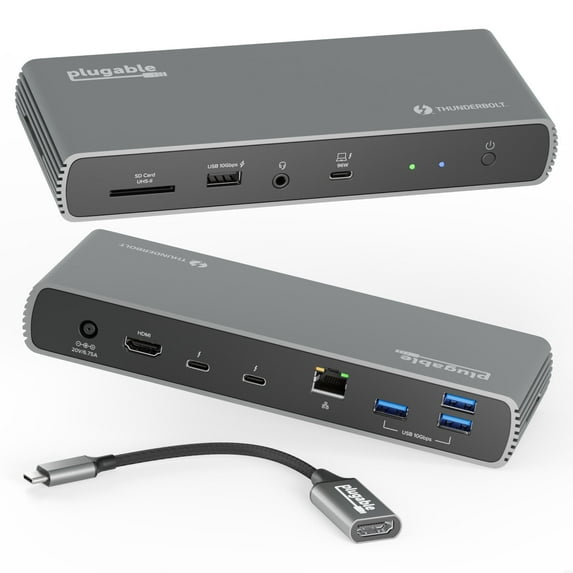
Plugable Thunderbolt 4 Dock with 100W Charging, Thunderbolt Certified, 3x Thunderbolt Ports, Laptop Docking Station Dual Monitor Single 8K or Dual 4K Monitor, 2.5G Ethernet, 1x SD, 4x USB
Key item features
- Certified Performance: This Thunderbolt Certified dock provides up to 100W charging (96W certified) and 40Gbps data transfer to the host laptop, with 15W and 40Gbps to connected peripherals.
- Versatile Display: Supports dual 4K 60Hz monitors via HDMI and an included USB-C to HDMI adapter, or a single 8K 30Hz display through a Thunderbolt 4 port.
- Extensive Connectivity: Features 11 ports including 3 Thunderbolt 4 ports (one to host, two downstream), 1 HDMI, 4 USB 3.0 (10Gbps), 2.5Gbps Ethernet, an SD card reader, and a combo audio jack.
- Rapid Charging: Delivers 100W charging, capable of charging a MacBook Pro 14 M1 Pro from 0-50% in 30 minutes.
- Broad Compatibility: Compatible with Windows 10 and newer, and macOS 11.2+. Dual display on Mac requires M1 Pro/Max or M2 Pro/Max systems.
Specs
- CompatibilityWindows 10 and newer, macOS 11.2+
- Maximum number of monitors2
- Inputs/Outputs3X Thunderbolt Ports, 2.5G Ethernet, 1x SD, 4X USB, 100W Charging
- Resolution4K UHD
- Usb version4
- In/Out typeHDMI
How do you want your item?
About this item
Product details
This Thunderbolt docking station dual monitor lets you spread out on two screens at up to 4K 60Hz. If you’re presenting to clients or streaming some shows, the 4K HDMI port connects an extra display at up to 60Hz. An included Thunderbolt to HDMI adapter lets you connect a second 4K 60Hz monitor. But if you really want to pack in the pixels, go straight to the Thunderbolt port to connect an 8K monitor up to 30Hz.
Diving deeper into its features, the 11-port expansion on this docking station for laptop is perfect for ultra-thin devices like the Surface Pro 8 and Surface Pro 9 with an Intel processor, making it a great Surface Thunderbolt 4 dock. Get instant access to 1x HDMI port, 4x USB 3.0 ports, a 2.5 Gigabit Ethernet port, an SD Card reader, and even a combination audio jack. And the convenience continues with an included 3’ (1m) Thunderbolt cable. Just a heads up, on Mac, dual display is only available on M1 or M2 systems with a Pro or Max chip, like the Macbook Pro M1Pro/Max and Macbook Pro M2 Pro/Max.
- Thunderbolt Certified - Power meets performance in this Thunderbolt dock. 3x Thunderbolt ports deliver up to 100W charging (96W certified) and 40Gbps to the laptop, and up to 15W and 40Gbps to your most powerful peripherals. The Plugable TBT4-UDX1 is ready to work
- Dual 4K or One 8K - A dual monitor docking station with customizable connection options. Get dual 4K 60Hz through HDMI and Thunderbolt - USB C to HDMI adapter included. Or, go big with a single 8K 30Hz display via Thunderbolt 4 port
- 11 Port Expansion - HDMI docking station built for modern laptops, 3x Thunderbolt 4 ports (40Gbps) — 1x to host, 2x for your SSD, phone, or other devices, 1x HDMI, 4x USB 3.0 (10Gbps), 2.5Gbps Ethernet, SD reader, combo audio jack, 100W charging - charge a MacBook Pro 14” M1 Pro from 0-50% in 30 minutes
- Works With - This Thunderbolt 4 hub is compatible with Windows 10 and newer, and macOS 11.2+. As a Macbook Thunderbolt dock, dual display is only available on M1 Pro/Max or M2 Pro/Max systems. For best performance, pair with a Thunderbolt host system
- 2-Year Warranty and Support - Every Plugable product, including this Thunderbolt 4 docking station, is covered by a 2-year limited parts and labor warranty. And, should you need it, every product gets lifetime support from our US-based team
Specifications
Compatibility
Maximum number of monitors
Inputs/Outputs
Resolution
Warranty
Warranty information
Please be aware that the warranty terms on items offered for sale by third party Marketplace sellers may differ from those displayed in this section (if any). To confirm warranty terms on an item offered for sale by a third party Marketplace seller, please use the 'Contact seller' feature on the third party Marketplace seller's information page and request the item's warranty terms prior to purchase.
Warnings
 WARNING: WARNING: Cancer and Reproductive Harm
Similar items you might like
Based on what customers bought
Plugable Thunderbolt Dock, 40Gbps and USB C Docking Station with 96W Charging $224.50
 $22450current price $224.50
Plugable Thunderbolt Dock, 40Gbps and USB C Docking Station with 96W Charging
134.8 out of 5 Stars. 13 reviewsPlugable TBT4-UD5 USB Type-C Dual Display Laptop Docking Stations $199.95
 $19995current price $199.95
Plugable TBT4-UD5 USB Type-C Dual Display Laptop Docking Stations
54 out of 5 Stars. 5 reviewsPlugable 13-in-1 USB-C Triple Monitor Docking Station with 100W Charging, Compatible with Windows, Mac, and Chrome with Thunderbolt 3 / 4 or USB-C $185.50
 $18550current price $185.50
Plugable 13-in-1 USB-C Triple Monitor Docking Station with 100W Charging, Compatible with Windows, Mac, and Chrome with Thunderbolt 3 / 4 or USB-C
324.7 out of 5 Stars. 32 reviewsPlugable USB C Laptop Docking Station, Dual Monitor 4K 60Hz for Apple Mac M1/M2/M3, 2x HDMI or 2x DisplayPort $199.95
 $19995current price $199.95
Plugable USB C Laptop Docking Station, Dual Monitor 4K 60Hz for Apple Mac M1/M2/M3, 2x HDMI or 2x DisplayPort
164.6 out of 5 Stars. 16 reviewsPlugable 12-in-1 USB C Triple Monitor Docking Station, Triple 4K Displays with 3X HDMI or 3X DisplayPort $209.95
 $20995current price $209.95
Plugable 12-in-1 USB C Triple Monitor Docking Station, Triple 4K Displays with 3X HDMI or 3X DisplayPort
164.9 out of 5 Stars. 16 reviewsPlugable 4K USB C Docking Station Triple Monitor with 100W Power Delivery, USB C Dock for Thunderbolt 3/4, and USB-C Windows and Mac $233.95
 $23395current price $233.95
Plugable 4K USB C Docking Station Triple Monitor with 100W Power Delivery, USB C Dock for Thunderbolt 3/4, and USB-C Windows and Mac
354.7 out of 5 Stars. 35 reviewsPlugable 7-in-1 USB C Docking Station Dual Monitor, Dual HDMI Dock is Compatible with Mac and Windows $125.95
 $12595current price $125.95
Plugable 7-in-1 USB C Docking Station Dual Monitor, Dual HDMI Dock is Compatible with Mac and Windows
194.6 out of 5 Stars. 19 reviewsPlugable USB C Docking Station 5 Monitors, 140W DisplayLink Dock Connects up to Five 4K Displays for MacBook Windows Thunderbolt 4 Laptops $293.95
 $29395current price $293.95
Plugable USB C Docking Station 5 Monitors, 140W DisplayLink Dock Connects up to Five 4K Displays for MacBook Windows Thunderbolt 4 Laptops
134.4 out of 5 Stars. 13 reviewsLenovo ThinkPad Universal Thunderbolt 4 Dock $224.89
 $22489current price $224.89
Lenovo ThinkPad Universal Thunderbolt 4 Dock
4634.2 out of 5 Stars. 463 reviewsWAVLINK Laptop Dock Station, 8K Displayport & HDMI Triple Display USB Dock with 140W Charging, RJ45, Up to 10Gbps USB-C Data Transmission $179.86
 $17986current price $179.86
WAVLINK Laptop Dock Station, 8K Displayport & HDMI Triple Display USB Dock with 140W Charging, RJ45, Up to 10Gbps USB-C Data Transmission
Best seller j5create USB-C Dual 4K HDMI 10Gbps Mini Dock (2.24x5.8in and 4oz) 100W, JCD398 $55.00
Best seller $5500current price $55.00
j5create USB-C Dual 4K HDMI 10Gbps Mini Dock (2.24x5.8in and 4oz) 100W, JCD398
1524 out of 5 Stars. 152 reviewsDell Performance Dock - WD19DCS Docking Station with 240W Power Adapter For Monitors (Provides 210W Power Delivery; 90W to Non-Dell Systems) $189.98
 $18998current price $189.98
Dell Performance Dock - WD19DCS Docking Station with 240W Power Adapter For Monitors (Provides 210W Power Delivery; 90W to Non-Dell Systems)
15 out of 5 Stars. 1 reviewsPlugable Thunderbolt 4 Dock for Quad Monitors 100W, Connects up to Four 4K Monitors for Windows and Mac Laptops, Driver Required TBT-6950PD $299.95
 $29995current price $299.95
Plugable Thunderbolt 4 Dock for Quad Monitors 100W, Connects up to Four 4K Monitors for Windows and Mac Laptops, Driver Required TBT-6950PD
64.7 out of 5 Stars. 6 reviewsLenovo ThinkPad Hybrid USB-C with USB-A Dock $134.97
 $13497current price $134.97
Lenovo ThinkPad Hybrid USB-C with USB-A Dock
5554.4 out of 5 Stars. 555 reviewsWavlink USB C Triple Display 4K 12 in 1 MST USB C Docking Station, Type C Systems (DP & HDMI &VGA, USB 3.0&2.0 Ports, SD TF Card Reader, Gigabit Ethernet, Audio For for MacBook Pro & Windows $39.00


 $3900current price $39.00
Wavlink USB C Triple Display 4K 12 in 1 MST USB C Docking Station, Type C Systems (DP & HDMI &VGA, USB 3.0&2.0 Ports, SD TF Card Reader, Gigabit Ethernet, Audio For for MacBook Pro & Windows
5414.7 out of 5 Stars. 541 reviewsLenovo ThinkPad Universal USB-C Dock $136.00 Was $239.99
 $13600current price $136.00, Was $239.99$239.99
Lenovo ThinkPad Universal USB-C Dock
6954.4 out of 5 Stars. 695 reviewsBest seller USB C Docking Station Dual Monitor Laptop Docking Station Triple Display USB C Hub Dual HDMI Adapter to 2 HDMI, VGA, 10Gpbs USB 3.1, USB 2.0, 100WPD, RJ45, Audio for Dell/Lenovo/Hp $39.99
Best seller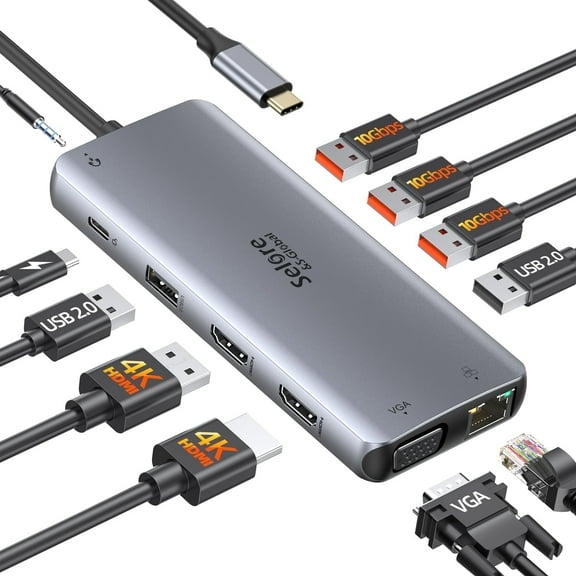 $3999current price $39.99
USB C Docking Station Dual Monitor Laptop Docking Station Triple Display USB C Hub Dual HDMI Adapter to 2 HDMI, VGA, 10Gpbs USB 3.1, USB 2.0, 100WPD, RJ45, Audio for Dell/Lenovo/Hp
1354.1 out of 5 Stars. 135 reviewsAnker Laptop Docking Station, 13-in-1 USB-C Docking Station, Triple Display with 2xHDMI and 1xDP, 10 Gbps USB-C and 5 Gbps USB-A Data, Ethernet, Audio, SD, 85W Charging $139.99 Was $199.99
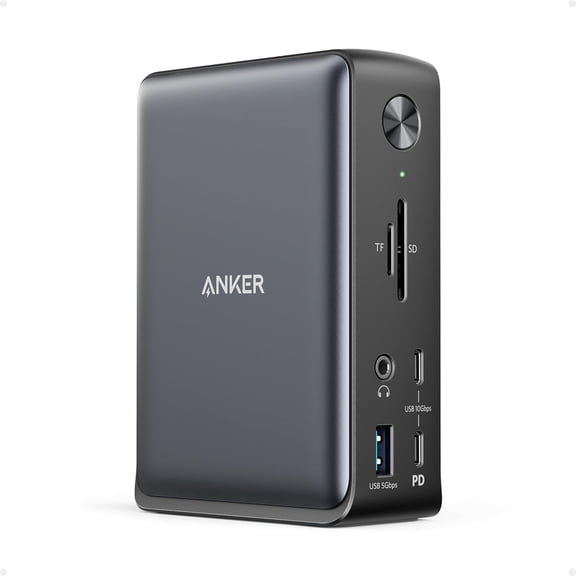 $13999current price $139.99, Was $199.99$199.99
Anker Laptop Docking Station, 13-in-1 USB-C Docking Station, Triple Display with 2xHDMI and 1xDP, 10 Gbps USB-C and 5 Gbps USB-A Data, Ethernet, Audio, SD, 85W Charging
204.1 out of 5 Stars. 20 reviewsWAVLINK Dual 2K 4K DisplayLink Docking Station, USB-C Laptop Dock for Mac M1/M2/M3/M4 & Windows, 13-in-1 with 100W Charging, 3 HDMI, 5 USB Ports, Ethernet, SD/TF $159.99
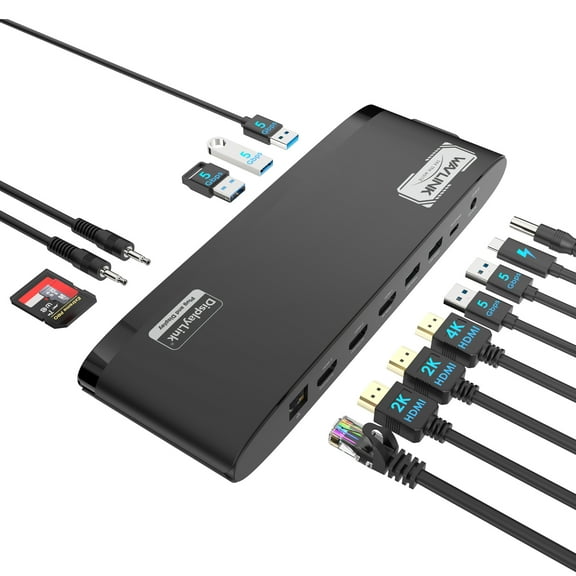 $15999current price $159.99
WAVLINK Dual 2K 4K DisplayLink Docking Station, USB-C Laptop Dock for Mac M1/M2/M3/M4 & Windows, 13-in-1 with 100W Charging, 3 HDMI, 5 USB Ports, Ethernet, SD/TF
WAVLINK Triple Display Laptop Dock Station with 8K HDMI*2 8K Displayport, 140W Charging, RJ45, 10G USB-C USB C Dock for Mac OS & Windows Laptops $167.86
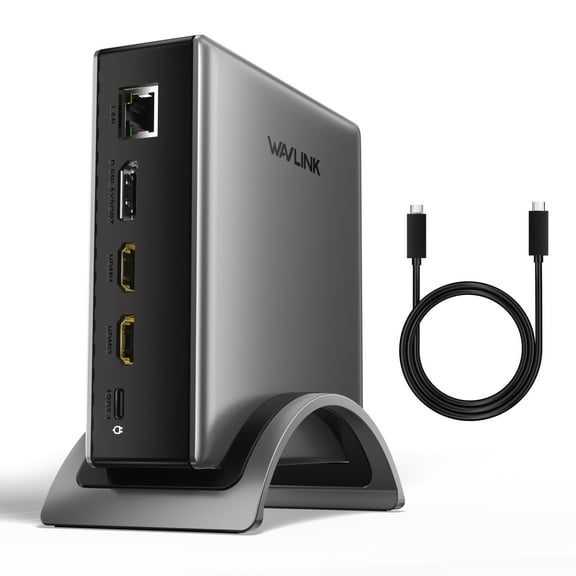 $16786current price $167.86
WAVLINK Triple Display Laptop Dock Station with 8K HDMI*2 8K Displayport, 140W Charging, RJ45, 10G USB-C USB C Dock for Mac OS & Windows Laptops
Check out these related products
Kensington SD5500T and SD5550T Thunderbolt 3 and USB-C Dual 4K Hybrid Docking Station $59.99
 $5999current price $59.99
Kensington SD5500T and SD5550T Thunderbolt 3 and USB-C Dual 4K Hybrid Docking Station
Plugable 16-in-1 Thunderbolt 4 Dock with 100W Charging, 4K Quad Monitor Setup for Thunderbolt 4 Windows Laptops $269.50
 $26950current price $269.50
Plugable 16-in-1 Thunderbolt 4 Dock with 100W Charging, 4K Quad Monitor Setup for Thunderbolt 4 Windows Laptops
185 out of 5 Stars. 18 reviewsStarTech.com Thunderbolt 3 Dock w/USB-C Host Compatibility - Dual 4K 60Hz DP 1.4 or HDMI TB3/USB-C Docking Station - 1x 8K - 96W PD/5xUSB $204.60
 $20460current price $204.60
StarTech.com Thunderbolt 3 Dock w/USB-C Host Compatibility - Dual 4K 60Hz DP 1.4 or HDMI TB3/USB-C Docking Station - 1x 8K - 96W PD/5xUSB
24 out of 5 Stars. 2 reviewsSelore USB C Docking Station for Laptop Dual Monitors, Upgrade14 in 1 Triple Monitor Docking Station Display USB C Hub Dual HDMI Adapter Dongle Triple 4K Docking Station for Dell/HP/Surface/MacBook $52.99
 $5299current price $52.99
Selore USB C Docking Station for Laptop Dual Monitors, Upgrade14 in 1 Triple Monitor Docking Station Display USB C Hub Dual HDMI Adapter Dongle Triple 4K Docking Station for Dell/HP/Surface/MacBook
573.6 out of 5 Stars. 57 reviewsWAVLINK USB C Dual 4K DP/HDMI Laptop Docking Station with 60W Power Delivery, Single 5K/ Dual 4K @60Hz for Specific USB-C and Thunderbolt 3 Windows and Mac Systems ( 2xDP 1.2, 2xHDMI 2.0, 5xUSB, LAN) $134.99
 $13499current price $134.99
WAVLINK USB C Dual 4K DP/HDMI Laptop Docking Station with 60W Power Delivery, Single 5K/ Dual 4K @60Hz for Specific USB-C and Thunderbolt 3 Windows and Mac Systems ( 2xDP 1.2, 2xHDMI 2.0, 5xUSB, LAN)
WAVLINK USB C Docking Station with 60W charging for laptop, Displaylink Dock with 4K@60Hz & 5K@60Hz, Display Port, HDMI, USB 3.0, Gigabit Ethernet $160.00
 $16000current price $160.00
WAVLINK USB C Docking Station with 60W charging for laptop, Displaylink Dock with 4K@60Hz & 5K@60Hz, Display Port, HDMI, USB 3.0, Gigabit Ethernet
35 out of 5 Stars. 3 reviewsBelkin Thunderbolt 4 Docking Station with 90W Power Delivery for MacBook & Windows - 8K/Dual 4K Display, Thunderbolt 4 Cable, HDMI, Ethernet, SD & Audio Ports, Gray $239.98 Was $299.95
 $23998current price $239.98, Was $299.95$299.95
Belkin Thunderbolt 4 Docking Station with 90W Power Delivery for MacBook & Windows - 8K/Dual 4K Display, Thunderbolt 4 Cable, HDMI, Ethernet, SD & Audio Ports, Gray
534.1 out of 5 Stars. 53 reviewsWAVLINK USB-C Dual 4K Laptop Docking Station with 100W Power Adapter, Black $150.00
 $15000current price $150.00
WAVLINK USB-C Dual 4K Laptop Docking Station with 100W Power Adapter, Black
184.7 out of 5 Stars. 18 reviewsStarTech Dual Monitor Hybrid Universal Laptop Docking Station DK30C2DPEP $264.00
 $26400current price $264.00
StarTech Dual Monitor Hybrid Universal Laptop Docking Station DK30C2DPEP
42.8 out of 5 Stars. 4 reviewsPlugable Dual 4K USB-C Chromebook Docking Station, Google Certified Chromebook Compatible, 60W Driverless Charging Dock $159.95
 $15995current price $159.95
Plugable Dual 4K USB-C Chromebook Docking Station, Google Certified Chromebook Compatible, 60W Driverless Charging Dock
115 out of 5 Stars. 11 reviewsUSB 3.0 Universal Laptop Docking Station Dual Monitor for Windows and Mac (Dual HDMI, Gigabit Ethernet, Audio, 6 USB Ports) -TAA Compliant $66.90
 $6690current price $66.90
USB 3.0 Universal Laptop Docking Station Dual Monitor for Windows and Mac (Dual HDMI, Gigabit Ethernet, Audio, 6 USB Ports) -TAA Compliant
674.6 out of 5 Stars. 67 reviewsPlugable 14-in-1 USB C Docking Station with 4x HDMI, Quad Dock with 100W Charging $238.50
 $23850current price $238.50
Plugable 14-in-1 USB C Docking Station with 4x HDMI, Quad Dock with 100W Charging
184.6 out of 5 Stars. 18 reviews2X 4K UNIVERSAL LAPTOP DOCKING $241.99 Was $262.00
 $24199current price $241.99, Was $262.00$262.00
2X 4K UNIVERSAL LAPTOP DOCKING
15 out of 5 Stars. 1 reviewsStarTech.com DK30CH2DEP Triple-Monitor 4K USB-C Dock with 5x USB 3.0 Ports 100W PD - Black & Silver $140.99 Was $172.00
 $14099current price $140.99, Was $172.00$172.00
StarTech.com DK30CH2DEP Triple-Monitor 4K USB-C Dock with 5x USB 3.0 Ports 100W PD - Black & Silver
203.1 out of 5 Stars. 20 reviews13 in 1 Type C Docking Station Dual HDMI, USB C Hub 2 HDMI,4 USB,PD, Gigabit Ethernet, SD,TF Card,USB-C,VGA Port ,AUX Port, Triple Monitor Docking Station for Mac/Windows/Laptop $42.29
 $4229current price $42.29
13 in 1 Type C Docking Station Dual HDMI, USB C Hub 2 HDMI,4 USB,PD, Gigabit Ethernet, SD,TF Card,USB-C,VGA Port ,AUX Port, Triple Monitor Docking Station for Mac/Windows/Laptop
Plugable USB 3.0 and USB-C Universal Laptop Docking Station for Windows and Mac (Dual Video HDMI, Gigabit Ethernet, Audio, 6 USB Ports) $99.95
 $9995current price $99.95
Plugable USB 3.0 and USB-C Universal Laptop Docking Station for Windows and Mac (Dual Video HDMI, Gigabit Ethernet, Audio, 6 USB Ports)
264.8 out of 5 Stars. 26 reviews
Customer ratings & reviews
Customer photos


 +1 image
Showing 1-3 of 5 reviews
Plugable thunderbolt 4 & usb4 hdmi docking station
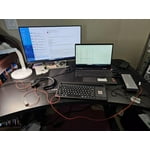
[This review was collected as part of a promotion.] There are several inputs to set this docking station with your laptop or personal computer. You can add two monitors with HDMI and thunderbolt 3 & 4. Plus this have 4 USB for headphone and keyboard. Also, you can add SD card to access pics. Also you can plug an Ethernet for quick wire internet transfer. It's all in one docking station that is small for space.
Functional and Attractive
[This review was collected as part of a promotion.] first off, im 52 so i remember the OLD docking stations that turned your work laptop into a desktop at home or vice versa. this is one of those only much newer tech and super fast connectivity. that is the true spotlight of this docking station its possibilities of the ports it supplies. this product is superior to most others, but why the price? it is possible that you might have some initial issues with this working with your laptop but those were easily solved. highly recommended.
So many ports and very functional!
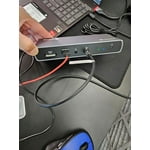
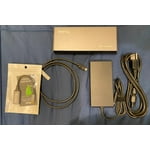
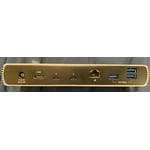
[This review was collected as part of a promotion.] The Pluggable Thunderbolt 4 is the perfect addition to my MacBook Pro M1 Max. Previously I always had to plug tons of cables in and out of the MacBook ports... Monitor 1, Monitor 2, Power, Speakers, and more. I would avoid taking my MacBook around the house just cause I didn't want to deal with all this. Enter the Pluggable Docking Station. So many ports! One one side...1 HDMI, two charging USB-C/Thunderbolt, three USB-A 10 Gpps (rectangle), 1 Ethernet. And on the other side…SD card, 1 USB-A 10 Gpps w/ charging, 1 audio, 1 96W Thunderbolt / USB-C, and a power button. So more than enough! Just plug your devices into the respective ports, and connect the dock to your laptop with the 96W Thunderbolt / USB-C port (wire provided with dock). While these type of docks can be pricey, if you live on your laptop everyday like me, it's well worth it!
